Report
The seven- or thirty-day brand report, Pro and Scale narrative, the thirty-day scorecard with a public share link, and the no-login report page when a link exists.
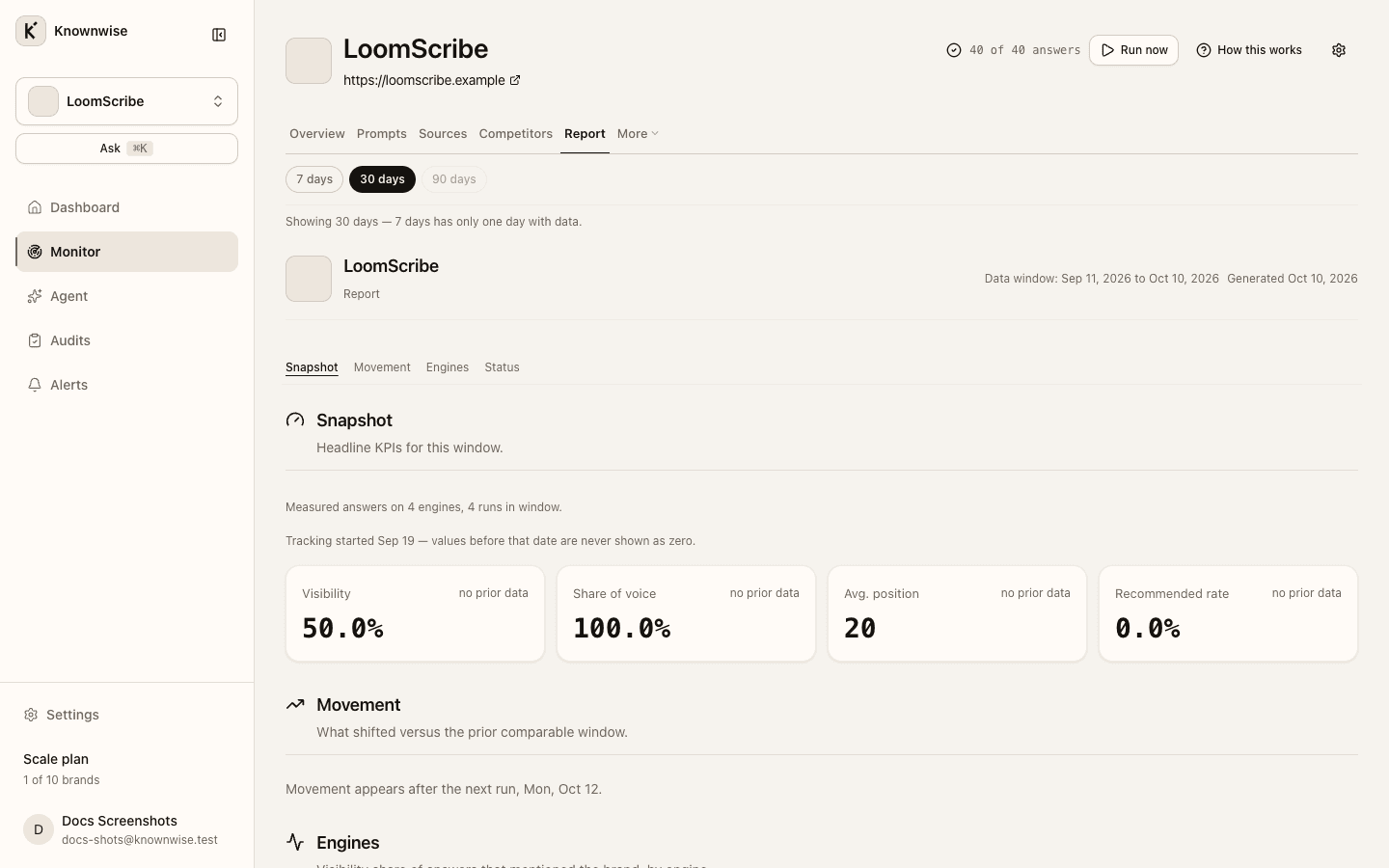
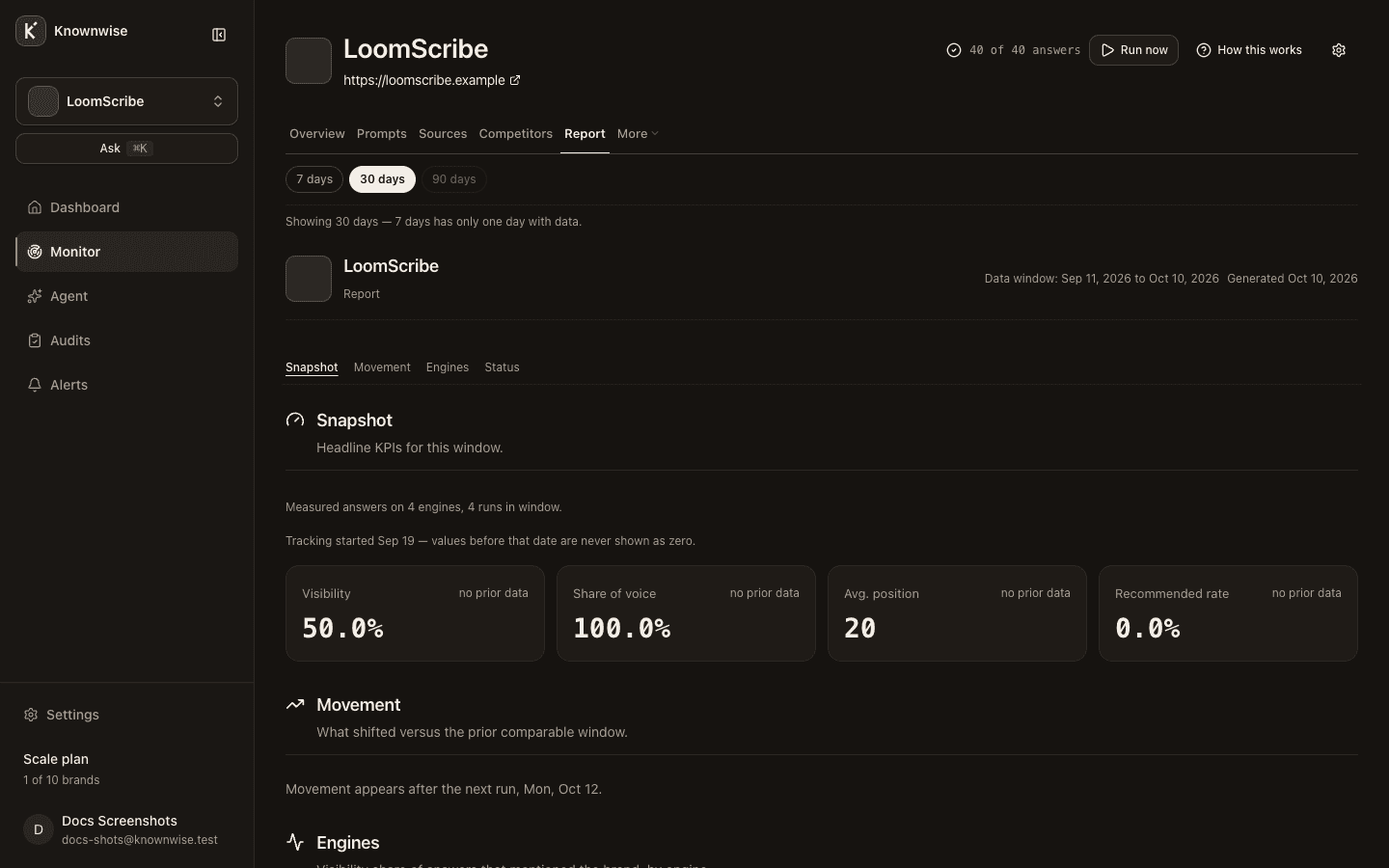
The Report tab is a single-page summary of the measured period. A separate AI Share-of-Voice Scorecard always uses the last thirty days and can be shared with clients.
Report window
Reports are built for 7 days and 30 days only. The time picker elsewhere on the brand can carry 90 days, but Report clamps to 30 days and shows Showing 30 days — reports are generated for 7 and 30 days. when that happens. The header stamp shows the exact window dates and when the snapshot was generated.
Report sections
On the Report tab, sections appear in this order (jump links under On this page):
| Section | Contents |
|---|---|
| Snapshot | Headline KPIs: Visibility, Share of voice, Avg. position, Recommended rate, with changes versus the prior comparable window or no prior data. |
| Movement | Competitor, prompt, and new-domain shifts when enough history exists; otherwise copy explains when movement will appear (Free notes one report). |
| Engines | Visibility share per measured assistant. |
| Status | Open alerts, audit score, AI referrals, and usage for the window (Answers against your workspace monthly allowance—the same cap as Billing; Prompts against your plan's included active questions). |
| What changed | On Pro and Scale, a narrative paragraph when it still matches the current numbers; otherwise the stamp marks the story as stale. |
Free workspaces can see a one-line upgrade hint under the snapshot when competitor or engine gaps are detected.
Scorecard (30 days)
Open the brand Scorecard page for the AI Share-of-Voice Scorecard: Key metrics, By AI Engine, Brand vs Competitors, Top Cited Domains, and Site Audit when a matching audit exists. The window copy always describes the last thirty days and how many runs and answers it includes.
Public share link controls let you Create share link, Copy, Rotate, or Revoke when the brand has monitoring data in that window; without a run, Not shared — clients need a link to view this scorecard without logging in. or Run the brand monitor once, then you can share this scorecard. The public page uses the same layout without login and is not indexed for search.
Public report link
When your workspace has minted a public report link, recipients can open a no-login copy of the Report at the shared URL (same section order as the in-app Report, without usage quota or back navigation). Report share links are separate from scorecard share links.